
ALL INDIA SAINIK SCHOOLS ENTRANCE EXAM
The Ministry of Education (MOE), Government of India (GOI) has established National Testing Agency (NTA) as an independent autonomous and self-sustained premier examining organization under the Societies Registration Act, 1860 for conducting efficient, transparent and international standards exams in order to assess the competency of candidates for admissions to premier higher educational institutions.
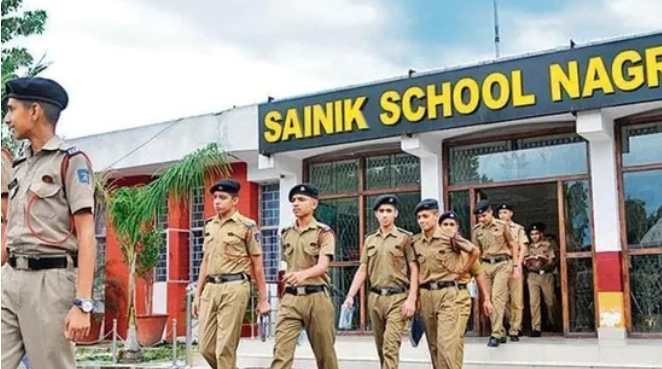
Sainik Schools Society (SSS) is an autonomous organisation under the Ministry of Defence, Govt of India. The Society runs Sainik Schools. Sainik Schools are English medium residential schools affiliated to Central Board of Secondary Education (CBSE). Sainik Schools prepare Cadets to join the National Defence Academy (NDA), Khadakwasla (Pune), Indian Naval Academy, Ezhimala and other Training Academies for officers. At present there are a total of 33 Sainik Schools across the country.
Sainik Schools offer admission at the level of Class VI and Class IX. Admission is based on the performance of candidates in the All India Sainik Schools Entrance Examination (AISSEE).
Ministry of Defence (MoD) has approved 35 New Sainik Schools, which operate in partnership with NGOs/private schools/State Governments. These approved New Sainik Schools function under the aegis of Sainik Schools Society.
IMPORTANT INFORMATION Regarding AISSEE 2024
- All India Sainik School Entrance Examination 2024 Online Registration Started on 7 November 2023.
- Only Eligible Students May Enroll Online on Official Website : exams.nta.ac.in/AISSEE & aissee.ntaonline.in
-
Last Date to Submit Online Application Form of AISSEE 2024 – 16.12.2023 (Prior 5 Pm)
- Submit Payment of Fee Online Before 16 December 2023 (11.50 Pm).
- Sainik School Exam Fee Can be Submitted Online through Various Modes : Banking/Upi, Credit/Debit Card.
- Students Belongs to SC (Scheduled Castes) & ST (Scheduled Tribes need to Pay INR 500 as Exam Fee.
- General Category, Ward of Defence Personnel and Ex Servicemen, OBC (NCL) Need to Pay INR 650/-.
- Mode of Exam : Paper Pen (OMR Based)
- Scheduled Exam Date for AISSEE 2024 : 21 January 2024 (Sunday)
- Multiple Choice Questions will asked in Question Paper.
- Sainik School Entrance Exam will Took Place in Total 186 Cities.
- Eligibility for Sainik School Class VI Admission : Age of Candidate (Boys and Girls) should Fall in Between 10 and 12 Years as on 31 March 2024. Girls May Apply for Class VI Admission in Sainik School.
- Eligibility for Sainik School Class IX Admission : Age of Girl & Boy Candidate Must Lie between 13 and 15 Years as on 31 March 2024. Make Sure Candidate Passed Class VIII from a Recognised School at the Time of Admission.
Eligibility Requirements for Sainik School Admission in Class 6 & 9 (Boys & Girls Both)
Basic Information About Sainik School
[aissee.nta.ac.in] All India Sainik School Admission 2024 – mes.ncog.gov.in 2024-25. Sainik School System is an ordinary public school managed by Sainik School Society. Sainik School was first established in 1961 by V. K. Krishna Menon. Now authority of Sainik School is Comes Under Government of India. In India, There are a total of 51 Sainik School Campus located in different states.
aissee.ntaonline.in 2024 Apply Online [Class 6, 9] – exams.nta.ac.in/AISSEE/
In total 51 schools there 33 Old Sainik School Campus and 18 New Sainik School Campus Are opened By Ministry of Education. Main aim of All India Sainik School Society is to Prepare the candidate mentally and physically fit to enter in INA or NDA. Every Year National Testing Agency conducts All India Sainik School Entrance Exam. This Entrance Exam is Conducted to select candidates for Sainik School Admission.
Aissee NTA nic in 2024 Portal : Sainik School Admission
| Portal Name | All India Sainik School Entrance Exam |
| Also Known as | AISSEE |
| AISSEE Conducted By | National Test Agency (NTA) |
| NTA Established By | Ministry of Education, Government Of India |
| Session | 2024-25 |
| Entrance Exam Conducted for | Sainik School Admission |
| Sainik School was established in | 1961 |
| Number Of Sainik Schools in India |
|
| Sainik Schools Affiliated With | Central Board Of Secondary Education Plus (CBSEP) |
| In India Sainik Schools are Run by | Sainik Schools Society |
| All India Sainik School Entrance Exam Level | 6th Class and 9th Class |
| AISSEE Helpline Details | 011 4075 9000, 011 6922 7700 |
| Email Address | aissee@nta.ac.in |
- Please read carefully the Information Bulletin and instructions/ procedure given therein and below, before you start filling out the Application Form online. कृपया इन्फॉर्मेशन बुलेटिन को डाउनलोड करें और ध्यानपूर्वक पढ़ें, और आवेदन पत्र ऑनलाइन भरने से पहले वहां दिए गए निर्देश और प्रक्रिया को ध्यान से पढ़ें।
- You can apply for AISSEE-2024 ‘ON-LINE’ only through the official website of (https://exams.nta.ac.in/AISSEE/). आप AISSEE-2024 के लिए केवल ‘ऑनलाइन’ आवेदन कर सकते हैं, और वह भी केवल आधिकारिक वेबसाइट (https://exams.nta.ac.in/AISSEE/) के माध्यम से.
- Please ensure your eligibility as per the criteria laid down for AISSEE-2024 (as applicable). “कृपया सुनिश्चित करें कि आप AISSEE- 2024 के लिए निर्धारित मानदंडों के अनुसार पात्र हैं।
- Examination Fees :
The Fee for AISSEE-2024 is as follows :EXAM FEE DETAIL CATOGERY FEE AMOUNT General/OBC/Wards of Defense Personnel Rs. 650/- (Six Hundred Fifty Only)/ SC/ST Rs. 500/- (Five Hundred Only)/ Processing charges and Goods & Service Taxes (GST) are to be paid by the candidate, as applicable.
- Date of Birth and Age Criteria :
Age Criteria Class Date Between Class 6th 01-04-2012 to 31-03-2014 (Those who are between 10-12 years of age as on 31.03.2024 are eligible) Class 9th 01-04-2009 to 31-03-2011 (Those who are between 13-15 years of age as on 31.03.2024 are eligible) - 1. Application Procedure: Steps to be followed to apply online.
आवेदन प्रक्रिया: ऑनलाइन आवेदन करने के लिए फॉलो करने वाले कदम।Candidates must read carefully the Instructions (including how to fill up the Application Form online) given in the Information Bulletin available on the NTA Website. Candidates not complying with the Instructions shall be summarily disqualified.
उम्मीदवारों को एनटीए वेबसाइट पर उपलब्ध सूचना बुलेटिन में दिए गए निर्देशों (ऑनलाइन आवेदन पत्र भरने के तरीके सहित) को ध्यान से पढ़ना चाहिए। निर्देशों का अनुपालन नहीं करने वाले उम्मीदवारों को अयोग्य घोषित कर दिया जाएगा।- Step 1 (REGISTRATION FORM):
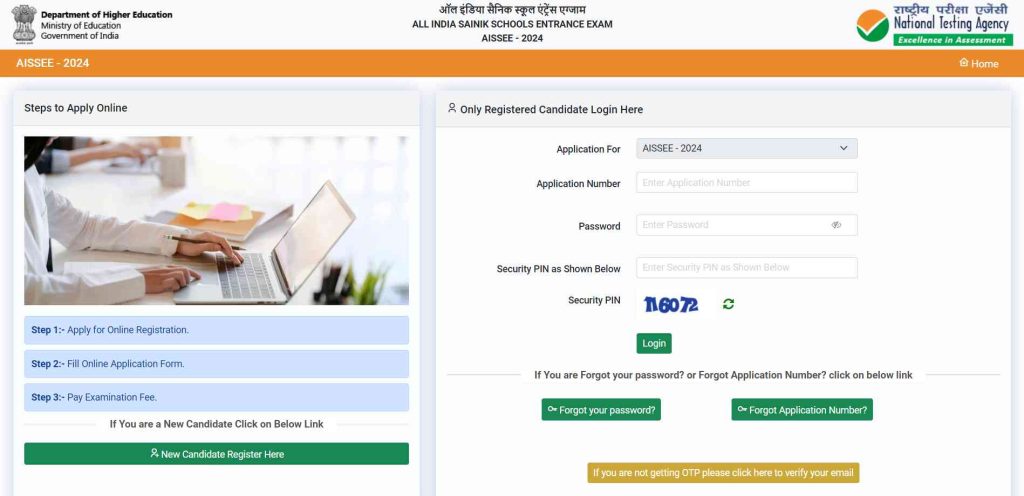
Register for the Online Application Form and note down the system-generated Application Number. The candidate should supply the required details while filling the Online Application Form and is also required to create PASSWORD and choose Security Question and enter his/her Answer. After successful submission of the personal details, an Application number will be generated and it will be used to complete the remaining Steps of the Application Form and will also be required for all future reference/correspondence. This application number will also be used/referred for AISSEE – 2024. For subsequent logins, the candidate will be able to login directly with the respective system generated Application Number and created Password.
ऑनलाइन आवेदन पत्र के लिए पंजीकरण करें और सिस्टम-जनरेटेड एप्लिकेशन नंबर नोट करें। उम्मीदवार को ऑनलाइन आवेदन पत्र भरते समय आवश्यक विवरण प्रदान करना चाहिए और पासवर्ड बनाना और सुरक्षा प्रश्न चुनना और अपना उत्तर दर्ज करना भी आवश्यक है। व्यक्तिगत विवरण सफलतापूर्वक जमा करने के बाद, एक आवेदन संख्या उत्पन्न होगी और इसका उपयोग आवेदन पत्र के शेष चरणों को पूरा करने के लिए किया जाएगा और भविष्य के सभी संदर्भ/पत्राचार के लिए भी इसकी आवश्यकता होगी। इस एप्लिकेशन नंबर का उपयोग AISSEE-2024 के लॉगिन के लिए किया जाएगा।, उम्मीदवार संबंधित सिस्टम द्वारा जेनरेट किए गए एप्लिकेशन नंबर और बनाए गए पासवर्ड के साथ सीधे लॉगिन कर सकेंगे। - Step 2 (APPLICATION FORM):
The Candidates can log in with the system-generated Application Number and pre-created Password for completing the Application Form including filling up of personal details, applying for the Paper, choosing the Examination Cities, providing the details of Educational Qualifications, and uploading the images and documents (if any).
उम्मीदवार व्यक्तिगत विवरण भरने, पेपर के लिए आवेदन करने, परीक्षा शहर चुनने, शैक्षिक योग्यता का विवरण प्रदान करने और छवियों और दस्तावेज़ (यदि कोई हो) को अपलोड करने सहित आवेदन पत्र को पूरा करने के लिए सिस्टम-जनरेटेड एप्लिकेशन नंबर और पूर्व-निर्मित पासवर्ड के साथ लॉग इन कर सकते हैं।Upload Scanned Images of Candidate Photograph, Thumb, Signature, Domicile Certificate, Date of Birth Certificate, Category Certificate (wherever applicable), School Certificate for class V, (New Sainik School), (wherever applicable).
उम्मीदवार की फोटो, अंगूठा, हस्ताक्षर, निवास प्रमाणपत्र, जन्मतिथि प्रमाणपत्र, श्रेणी प्रमाणपत्र (जहाँ प्रायोगिक हो), कक्षा V के लिए स्कूल प्रमाणपत्र (न्यू सैनिक स्कूल, जहाँ प्रायोगिक हो) की स्कैन की गई छवियों को अपलोड करें। हाल की फोटो या तो रंगीन होनी चाहिए या काली-सफेद गुड़द होनी चाहिए, जिसमें 80% चेहरा (मास्क के बिना) दिखाई देता हो|The recent photograph should be either in colour or black/white with 80% face (without mask) visible including ears against white background.
- Scanned photograph, thumb and signature should be in JPG format. स्कैन की गई फोटो, अंगूठा और हस्ताक्षर JPG प्रारूप में होने चाहिए।.
- Size of the scanned photograph should be between 10 kb to 200 kb. स्कैन की गई फोटो का आकार 10 kb से 200 kb के बीच होना चाहिए।
- Size of the scanned thumb should be between 3kb to 30 kb. अंगूठा JPG प्रारूप और 3 kb से 30 kb के बीच होना चाहिए।
- Size of the scanned signature should be between 4 kb to 30 kb. हस्ताक्षर JPG प्रारूप (स्पष्ट रूप से सुपाठ्य) और 4 kb से 30 kb के बीच होना।
- Size of the scanned copy of the certificates should be between 50 kb to 300 kb.सर्टिफिकेट की स्कैन कॉपी का साइज 50 केबी से 300 केबी के बीच होना चाहिए|
Note: The Candidate has to upload only his/ her own photograph, signature, and certificate(s) as mentioned above (and not of anybody else) in a correct/proper manner, as the facility for correction will not be given in the future. In case, it is found at any time in the future that the Candidate has used/uploaded the photograph, signature, and certificate(s) of someone else in his/her Application Form/Admit Card, or he/she has tempered his/her Admit Card/Result/Scorecard, these acts of the candidate shall be treated as Unfair Means (UFM) Practices and he/she shall be proceeded with the actions as contemplated under the provisions of the Information Bulletin relating to Unfair Means Practices.
उम्मीदवार को ऊपर बताए अनुसार केवल अपना फोटो, हस्ताक्षर और प्रमाण पत्र (किसी अन्य का नहीं) सही/उचित तरीके से अपलोड करना होगा, क्योंकि इसमें सुधार की सुविधा नहीं दी जाएगी।यदि भविष्य में किसी भी समय यह पाया जाता है कि उम्मीदवार ने अपने आवेदन पत्र/प्रवेश पत्र में किसी और की तस्वीर, हस्ताक्षर और प्रमाण पत्र का उपयोग/अपलोड किया है, या उसने अपने आवेदन पत्र में छेड़छाड़ की है। उसके प्रवेश पत्र/परिणाम/स्कोरकार्ड में, उम्मीदवार के इन कृत्यों को अनुचित साधन (यूएफएम) प्रथाओं के रूप में माना जाएगा और उसे अनुचित साधन प्रथाओं से संबंधित सूचना बुलेटिन के प्रावधानों के तहत अपेक्षित कार्यों के साथ आगे बढ़ाया जाएगा।Please check your photograph and signature before submission of the Application Form. In case the photograph or signature is blurred or not visible to identify the identity of the candidate then, the application will be rejected and no option for correction or revision will be permitted.
कृपया आवेदन पत्र जमा करने से पहले अपनी तस्वीर और हस्ताक्षर जांच लें। यदि उम्मीदवार की पहचान के लिए फोटो या हस्ताक्षर धुंधले हैं या दिखाई नहीं दे रहे हैं, तो आवेदन खारिज कर दिया जाएगा और सुधार या संशोधन के लिए कोई विकल्प नहीं दिया जाएगा। - Step 3: Fee Payment:
AftAfter completing Step 1 and Step 2, the candidates have to pay the requisite examination fee. The fee can be submitted only online through Net Banking, Credit Card, Debit Card, UPI, or Paytm Services. Processing charges and GST as applicable are chargeable to the candidate (in addition to the examination fee) by the concerned Bank/Payment Gateway Integrator.
चरण 1 और चरण 2 को पूरा करने के बाद, उम्मीदवारों को अपेक्षित परीक्षा शुल्क का भुगतान करना होगा। शुल्क केवल नेट बैंकिंग, क्रेडिट कार्ड, डेबिट कार्ड, यूपीआई या पेटीएम सेवाओं के माध्यम से ऑनलाइन जमा किया जा सकता है। संबंधित बैंक/पेमेंट गेटवे इंटीग्रेटर द्वारा उम्मीदवार से प्रोसेसिंग शुल्क और लागू जीएसटी (परीक्षा शुल्क के अतिरिक्त) लिया जाएगा।The Confirmation Page of the online Application Form will be generated only after successful payment by the Candidate. In case the Confirmation Page is not generated after payment of fee, then the candidate may have to approach the concerned Bank/Payment Gateway (in the helpline number and e-mail given in the Information Bulletin) for ensuring the successful payment or for obtaining the refund of duplicate / multiple payments.
ऑनलाइन आवेदन पत्र का पुष्टिकरण पृष्ठ उम्मीदवार द्वारा सफल भुगतान के बाद ही उत्पन्न किया जाएगा। यदि शुल्क के भुगतान के बाद पुष्टिकरण पृष्ठ उत्पन्न नहीं होता है, तो सफल भुगतान सुनिश्चित करने या प्राप्त करने के लिए उम्मीदवार को संबंधित बैंक/भुगतान गेटवे (सूचना बुलेटिन में दिए गए हेल्पलाइन नंबर और ई-मेल में) से संपर्क करना पड़ सकता है। डुप्लिकेट/एकाधिक भुगतान की वापसी]।THESE STEPS CAN BE DONE TOGETHER OR SEPARATELY ALSO.
Important Instructions about PASSWORD
- During online form filling, the candidate will be required to choose PASSWORD and Security Question and its Answer. The candidate is advised to record/remember their password for all future logins.ऑनलाइन फॉर्म भरने के दौरान, उम्मीदवार को पासवर्ड और सुरक्षा प्रश्न और उसका उत्तर चुनना होगा। उम्मीदवार को सलाह दी जाती है कि वे भविष्य में सभी लॉगिन के लिए अपना पासवर्ड रिकॉर्ड/याद रखें।
- For subsequent logins, the candidate will be able to login directly with their respective system-generated Application Number and the chosen Password. बाद के लॉगिन के लिए, उम्मीदवार अपने संबंधित सिस्टम-जनरेटेड एप्लिकेशन नंबर और चुने हुए पासवर्ड के साथ सीधे लॉगिन करने में सक्षम होंगे।
- The candidate is advised not to disclose or share their password with anybody. Neither NTA will not be responsible for the violation or misuse of the password of a candidate. उम्मीदवार को सलाह दी जाती है कि वे अपना पासवर्ड किसी के साथ न बताएं या साझा न करें। किसी उम्मीदवार के पासवर्ड के उल्लंघन या दुरुपयोग के लिए एनटीए जिम्मेदार नहीं होगा।
- Candidates can change his/her passwords after login if desired. उम्मीदवार चाहें तो लॉगिन के बाद अपना पासवर्ड बदल सकते हैं।
- Candidates should remember to log out at the end of their session so that the particulars of the candidate cannot be tampered with or modified by unauthorized persons. उम्मीदवारों को अपने सत्र के अंत में लॉग आउट करना याद रखना चाहिए ताकि अनधिकृत व्यक्तियों द्वारा उम्मीदवार के विवरण के साथ छेड़छाड़ या संशोधन न किया जा सके।
- Step 1 (REGISTRATION FORM):
- 1. Application Procedure: Steps to be followed to apply online.
- The Password must be as per the following Password policy.
- Password must be 8 to 13 characters long. पासवर्ड 8 से 13 अक्षर लंबा होना चाहिए।
- Password must have at least one Upper case alphabet. पासवर्ड में कम से कम एक अपरकेस अक्षर होना चाहिए।
- Password must have at least one Lower case alphabet. पासवर्ड में कम से कम एक लोअर केस अक्षर होना चाहिए।
- Password must have at least one numeric value. पासवर्ड में कम से कम एक संख्यात्मक मान होना चाहिए।
- Password must have at least one special character eg.!@#$%^&*-. पासवर्ड में कम से कम एक विशेष अक्षर होना चाहिए जैसे @#$%^&*-
- How to reset your Password: The following options are available to reset Password
- Using Security Question and its Answer you have chosen during Form filling. फॉर्म भरने के दौरान आपके द्वारा चुने गए सुरक्षा प्रश्न और उसके उत्तर का उपयोग करना।
- Using a verification code sent via text message (SMS) to your Registered Mobile No. आपके पंजीकृत मोबाइल नंबर पर टेक्स्ट संदेश (एसएमएस) के माध्यम से भेजे गए सत्यापन कोड का उपयोग करना।
- Using a reset link sent via Email to your Registered Email address. आपके पंजीकृत ईमेल पते पर ईमेल के माध्यम से भेजे गए रीसेट लिंक का उपयोग करना।
- The Application Number printed on the computer-generated Confirmation Page must be mentioned in all such correspondences. It is therefore essential to note down the application number printed on the Confirmation Page. ऐसे सभी पत्राचार में कंप्यूटर जनित पुष्टिकरण पृष्ठ पर मुद्रित आवेदन संख्या का उल्लेख किया जाना चाहिए। इसलिए पुष्टिकरण पृष्ठ पर मुद्रित आवेदन संख्या को नोट करना आवश्यक है।